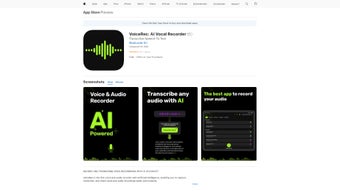

Download VoiceRec – AI‑Powered Vocal Recorder for iOS
Overview of VoiceRec
VoiceRec is a cutting‑edge AI vocal recorder designed specifically for iPhone, iPad, and iPod touch users. Built as a responsive web application, it leverages artificial intelligence to deliver crystal‑clear audio capture, automatic noise reduction, and smart transcription cues. Whether you are a student capturing lecture notes, a professional documenting meeting minutes, or a podcaster sketching out episode ideas, VoiceRec offers a streamlined workflow that eliminates the typical hassles of traditional recording apps.
The interface is intentionally minimalist: a single tap starts recording, while a swipe‑up gesture reveals editing tools, tagging options, and cloud sync controls. VoiceRec’s subscription model guarantees continuous improvements, including regular AI model updates, new export formats, and enhanced security patches. By focusing on both quality and convenience, VoiceRec positions itself as the go‑to solution for anyone who needs reliable, high‑fidelity vocal recordings on iOS devices.
Key Features that Set VoiceRec Apart
- AI‑Enhanced Audio Capture: Real‑time background‑noise suppression and voice‑level normalization ensure every word is heard clearly.
- One‑Tap Recording: Start, pause, and stop recordings with a single tap, eliminating menu navigation.
- Smart Tagging & Organization: Automatic tagging based on speech content and manual tags let you sort recordings by project, date, or speaker.
- Secure Cloud Sync: End‑to‑end encrypted backup to VoiceRec’s cloud, with optional export to iCloud, Dropbox, or Google Drive.
- Instant Transcription (Beta): Integrated AI transcription delivers searchable text within seconds, perfect for quick note‑taking.
- Multi‑Format Export: Export recordings as MP3, AAC, WAV, or lossless FLAC directly from the app.
- Cross‑Device Continuity: Record on iPhone, edit on iPad, and review on Mac via the web portal without losing any data.
- Customizable Shortcuts: Assign Siri shortcuts for hands‑free start/stop commands.
- Subscription‑Based Updates: Continuous AI model upgrades and feature roll‑outs keep the tool future‑proof.
Each of these capabilities is designed with a user‑first mindset. The AI engine, for example, learns from your recording habits, gradually improving its noise‑cancellation accuracy for the environments you frequent most. The smart tagging system uses natural‑language processing to suggest relevant keywords, making it simple to locate a specific lecture segment weeks later. Moreover, VoiceRec’s commitment to privacy means that all recordings are encrypted both in transit and at rest, satisfying the security expectations of professionals handling sensitive information. In short, VoiceRec blends sophisticated AI technology with an intuitive UI, delivering a tool that feels both powerful and approachable.
Installation, Usage Instructions, and Compatibility
Step‑by‑Step Installation
1. Open the App Store on your iPhone, iPad, or iPod touch.
2. Search for “VoiceRec – AI Vocal Recorder”.
3.
Tap “Get” and authenticate with Face ID, Touch ID, or your Apple ID password.
4. Once the download completes, launch the app and follow the on‑screen onboarding wizard, which will ask you to grant microphone access and choose a preferred cloud storage provider.
5. Choose a subscription plan (monthly or yearly) to unlock full AI features.
A 7‑day free trial is available for first‑time users.
How to Use VoiceRec Effectively
After installation, you’ll land on the main recording screen. Press the large red circle to start recording. While recording, a waveform visualizes audio levels in real time, helping you maintain consistent volume.
To add a tag, swipe left on the recording list, tap “Add Tag”, and type relevant keywords. The AI automatically generates a transcription preview in the background; you can view it by tapping the “Transcribe” button. For editing, select any recording and choose “Trim”, “Split”, or “Delete”.
When you’re ready to share, tap the share icon and pick your desired format and destination.
Device Compatibility
VoiceRec runs on iOS 14.0 and later, covering iPhone models from iPhone 6S onward, iPad (including iPad Air, iPad Pro, and iPad Mini), and iPod touch (7th generation). The web portal is accessible via any modern browser on macOS, Windows, or Android, ensuring you can review recordings even when you’re away from your iOS device. Because the app relies on Apple’s native AVFoundation framework, it offers low‑latency recording and battery‑efficient performance, crucial for long lecture sessions or all‑day meetings.
If you encounter any compatibility issues, the built‑in “Help & Feedback” section provides step‑by‑step troubleshooting guides and a direct link to the support team. Regular OTA updates are pushed automatically through the App Store, delivering new AI models and security patches without requiring manual intervention.
Pros, Cons, and Frequently Asked Questions
Pros
- AI‑driven noise cancellation delivers studio‑grade clarity on mobile hardware.
- Intuitive one‑tap interface reduces learning curve for new users.
- Automatic transcription speeds up note retrieval and searchability.
- Secure, encrypted cloud backup safeguards sensitive recordings.
- Cross‑device continuity lets you start on iPhone and finish on iPad or web.
Cons
- Full feature set requires a paid subscription; no perpetual free tier.
- Transcription accuracy may vary with heavy accents or overlapping speakers.
- Export options limited to audio formats; no built‑in video recording.
- Requires iOS 14+; older devices cannot install.
Frequently Asked Questions
Is VoiceRec free to use?
VoiceRec offers a 7‑day free trial that includes all premium features. After the trial, you need to choose a subscription plan (monthly or yearly) to continue using the AI enhancements and cloud sync.
Can I export recordings to other cloud services?
Yes. VoiceRec integrates with iCloud, Dropbox, Google Drive, and OneDrive. You can set a default destination in the Settings menu or choose a service per export.
How secure is my audio data?
All recordings are encrypted with AES‑256 both during upload/download and while stored on VoiceRec’s servers. The app also follows Apple’s privacy guidelines, never accessing your microphone without explicit permission.
Does VoiceRec work on Android or Windows?
The native iOS app is exclusive to Apple devices, but the web portal is fully functional on Android, Windows, macOS, and Linux browsers, allowing you to listen, edit, and share recordings from any platform.
How accurate is the automatic transcription?
In quiet environments with clear speech, transcription accuracy exceeds 90%. Background noise, strong accents, or overlapping dialogue can lower accuracy, but the AI continuously learns and improves with each use.
Expert Review Summary
Rating: 4.5/5
VoiceRec stands out as a polished, AI‑driven recording solution that addresses the most common pain points of mobile audio capture. Its real‑time noise suppression, smart tagging, and instant transcription make it especially valuable for students and professionals. While the subscription model may deter users seeking a completely free tool, the regular updates and robust security justify the cost. Overall, VoiceRec earns a strong recommendation for anyone serious about high‑quality vocal recordings on iOS.
Conclusion – Should You Download VoiceRec?
If you spend any portion of your day listening, speaking, or teaching, a reliable recorder is indispensable. VoiceRec transforms the ordinary act of capturing audio into an intelligent, organized, and secure experience. Its AI‑powered features—noise cancellation, auto‑tagging, and rapid transcription—save time and improve the usability of every recording. The subscription price is modest compared with the continuous development pipeline, and the app’s seamless integration with iOS, iCloud, and popular third‑party storage services ensures you’ll never lose a file.
In short, VoiceRec delivers on its promise of “efficient AI vocal recording” while maintaining a user‑friendly design that even non‑tech‑savvy individuals can master. For students aiming to archive lecture notes, journalists needing quick interview capture, or business professionals documenting meetings, VoiceRec is a compelling choice. Click the download button below to start your free trial and experience studio‑quality recordings directly from your iPhone or iPad.



.png)



